
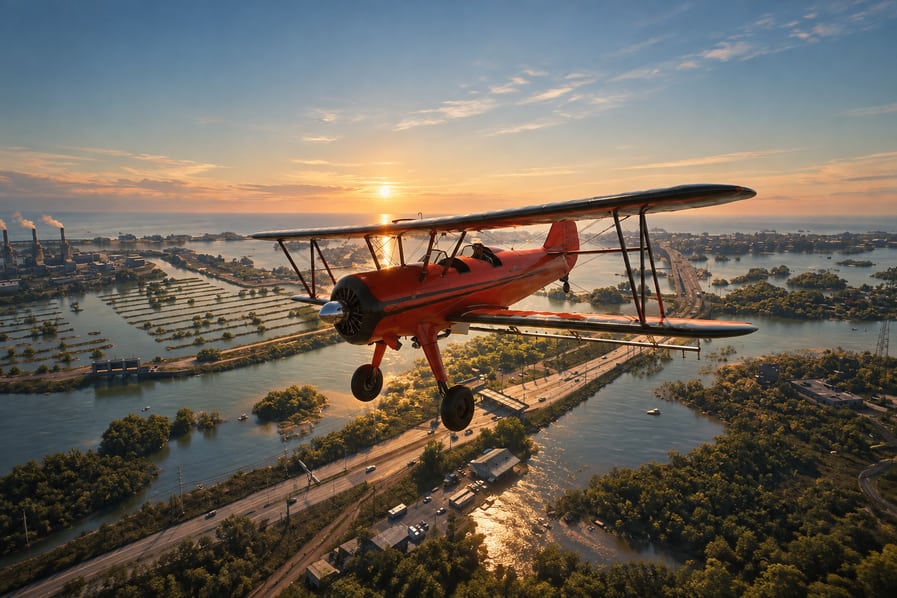
Clearing the map fog in GTA 6 is much faster with a Bottcher Duster than by exploring every road on foot or by car. Players following GTA 6 Boosting progression routes can start this process in Chapter 1 after completing Gone Fishing, using a taxi to reach an airstrip and a crop duster to reveal large sections of Leonida.
How Map Fog Discovery Works
The GTA 6 map is divided into small sections rather than revealing a circular area around Jason or Lucia. Entering an undiscovered section briefly reveals its map details. Simply passing along the edge may leave some areas covered.
Driving and flying can both reveal unexplored sections, but aircraft are more efficient for covering large distances. Clearing the map also contributes to The Goodtime State trophy and achievement.
Best Ways to Explore the Map
| Method | Best Use | Recommended Approach |
|---|---|---|
| Driving | Exploring nearby streets and neighborhoods | Follow roads into adjacent unexplored sections |
| Paradise Taxi | Reaching distant locations quickly | Set a destination near an airstrip |
| Bottcher Duster | Revealing large areas efficiently | Fly across unexplored sections in organized routes |
A taxi is useful for reaching an aircraft location, not for automatically revealing every area along the journey. After arriving, use the plane or explore the surrounding roads yourself.
1. Get the Bottcher Duster in Chapter 1
After completing Gone Fishing, Jason can explore freely and reach a small airstrip near Key Lento.
The easiest early aircraft to use is the Bottcher Duster, a crop-dusting biplane with a useful fuel range. Follow these steps:
- Open the phone and select Paradise Taxi from your contacts.
- Set a waypoint near the small airstrip off Boundary Road in Mariana County.
- Travel to the airstrip and look for a parked Bottcher Duster.
- Enter the aircraft and take off.
The first aircraft may not always be available. If you cannot find one, check another airstrip instead of repeatedly returning to the same location.
2. Use the Three Airstrips to Cover Leonida
These three aircraft locations provide a practical route for exploring the map without repeatedly flying back to the southern end.
| Airstrip Location | Best Use |
|---|---|
| Near Key Lento | Starting the exploration route in southern Leonida |
| Mariana County | Alternative aircraft location if the first spawn is unavailable |
| Kelly County | Picking up another plane after exploring the southern region |
Start near Key Lento and work outward through the southern sections. Once you have uncovered that area, move toward Kelly County and use its airstrip to continue exploring the central and northern parts of the map.
3. Fly in Sections and Monitor Fuel
The Bottcher Duster is better suited to long exploration sessions than faster military jets. Those jets have advanced tracking systems that can attract hostile fighter aircraft, interrupting your route.
For an efficient flight:
- Choose one unexplored region before taking off.
- Fly directly through its covered sections.
- Open the map periodically to identify remaining gaps.
- Move to the next region once the current area is revealed.
- Avoid unnecessary circles over already explored terrain.
Keep an eye on the fuel gauge above the minimap. Press Down on the D-pad to check it when the indicator is enabled in the UI settings. When the fuel indicator turns yellow, look for the nearest airstrip and switch to another aircraft before running out.
Aircraft can respawn at their designated locations, making airstrips useful stops during longer exploration sessions.
4. Use Driving to Reveal Remaining Gaps
After covering large areas by air, return to ground exploration for smaller sections that remain hidden.
Driving is particularly useful around dense urban streets, connected neighborhoods, and road networks that are difficult to check precisely from above. Enter the unexplored section itself, then reopen the map to confirm that it has been revealed.
Unlocking more of Leonida’s activities, vehicles, and hidden locations makes GTA 6 Online Accounts a useful option for players looking to expand their overall game experience.
Do not confuse a visible map with fully completed exploration. Revealing the terrain does not automatically collect nearby items or complete activities. Those objectives require separate checks.
How Long Does Full Map Exploration Take?
A complete map-clearing flight route can take approximately 2-3 hours using a crop duster. Actual time depends on how efficiently you follow the route, how often you change aircraft, and how many uncovered sections remain.
Save manually between longer flights. This gives you a recovery point if the aircraft runs out of fuel or crashes before you reach another airstrip.
FAQ
Can you clear the map fog in Chapter 1?
Yes. After completing Gone Fishing, Jason can access free roam and reach the early Bottcher Duster location.
Which plane is best for clearing map fog?
The Bottcher Duster is the recommended choice because of its fuel range and lack of the fighter-jet encounters associated with tracked military aircraft.
Does taking a taxi reveal the entire route?
No. Use Paradise Taxi to reach an airstrip quickly, then explore the surrounding sections by plane or car.
How do you know when the plane needs fuel?
Check the fuel gauge above the minimap. A yellow indicator means you should find an airstrip and change aircraft.
What do you get for revealing the entire map?
Fully exploring Leonida unlocks The Goodtime State trophy and achievement.